 End to End Technology Solutions
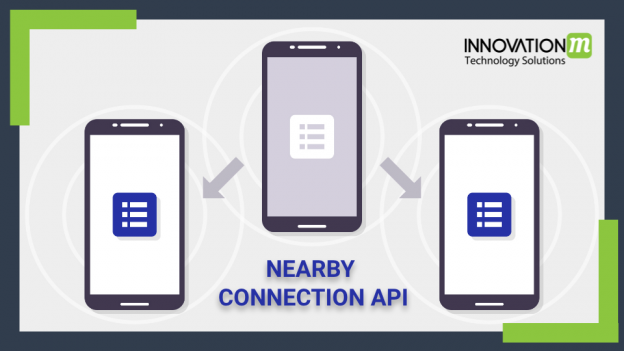
Nearby connections is a peer-to-peer networking API that allows apps to easily connect, discover and exchange data with the nearby device in real-time, regardless of network connectivity. In other words, we can say that Nearby connections enable advertising, discovery and connection between nearby devices in a fully offline peer-to-peer manner. The connection between devices is high-bandwidth, low-latency and fully encrypted to enable fast, secure data transfers. Nearby connections API uses a combination of Bluetooth, BLE and wifi hotspots.
Nearby Connection API implementations
We implement nearby connections API in two phases:
- Pre-Connection
- Post-Connection
In the pre-connection phase, the Advertiser device advertises itself, while discovers devices search the nearby advertiser devices and send connection requests. A connection request from a Discoverer to an Advertiser initiates a symmetric authentication flow that results in both sides independently accepting (or rejecting) the connection request.
After a connection request is accepted by both sides, the connection is considered to be established and the devices enter the post-connection phase, during which both sides can exchange data.
How to advertise the device?
Advertisers begin by invoking startAdvertising(), passing in a ConnectionLifecycleCallback which will be notified whenever a Discoverer wants to connect via the onConnectionInitiated() callback.
How to discover devices?
Discoverers begin by invoking startDiscovery(), passing in an EndpointDiscoveryCallback which will be notified whenever a nearby Advertiser is found via the onEndpointFound() callback.
Steps for implementing Nearby Connection API:
There are following steps for implementing nearby connection API as follows:
1. Add dependency for nearby connections
dependencies {

implementation 'com.google.android.gms:play-services-nearby:17.0.0'

}
2. Add permission in Manifest.xml
<!-- Required for Nearby Connections -->

<uses-permission android:name="android.permission.BLUETOOTH" />

<uses-permission android:name="android.permission.BLUETOOTH_ADMIN" />

<uses-permission android:name="android.permission.ACCESS_WIFI_STATE" />

<uses-permission android:name="android.permission.CHANGE_WIFI_STATE" />

<uses-permission android:name="android.permission.ACCESS_COARSE_LOCATION" />

<uses-permission android:name="android.permission.ACCESS_FINE_LOCATION" />

<!-- Optional: only required for FILE payloads -->

<uses-permission android:name="android.permission.READ_EXTERNAL_STORAGE"/>
3. Advertise the advertiser devices
Task<Void> startAdvertisingResultPendingResult =

       Nearby.getConnectionsClient(context)

               .startAdvertising(userName, AppConstant.SERVICE_ID,

               connectionLifeCycleCallback, new AdvertisingOptions.Builder().setStrategy(Strategy.P2P_STAR).build());

startAdvertisingResultPendingResult.addOnSuccessListener(new OnSuccessListener<Void>() {

   @Override

   public void onSuccess(Void aVoid) {

   }

});

startAdvertisingResultPendingResult.addOnFailureListener(new OnFailureListener() {

   @Override

   public void onFailure(@NonNull Exception e) {

   }

});
4. Discover the advertiser devices
Task<Void> statusPendingResult =

       Nearby.getConnectionsClient(context).

               startDiscovery(AppConstant.SERVICE_ID,

                     new endPointDiscoverCallback,

        new DiscoveryOptions.Builder().setStrategy(Strategy.P2P_STAR).build());

statusPendingResult.addOnSuccessListener(new OnSuccessListener<Void>() {

   @Override

   public void onSuccess(Void aVoid) {

   }

});

statusPendingResult.addOnFailureListener(new OnFailureListener() {

   @Override

   public void onFailure(@NonNull Exception e) {

   }

});
5. Create a connectionLifecycleCallback class
private final ConnectionLifecycleCallback connectionLifecycleCallback =

    new ConnectionLifecycleCallback () {

   @Override

   public void onConnectionInitiated(final String endpointId, final ConnectionInfo connectionInfo) {

   }

   @Override

   public void onConnectionResult(String endpointId, ConnectionResolution connectionResolution) {

      switch (connectionResolution.getStatus().getStatusCode()) {

          case ConnectionsStatusCodes.STATUS_OK:

            // We're connected! Can now start sending and receiving data.

            break;

          case ConnectionsStatusCodes.STATUS_CONNECTION_REJECTED:

            // The connection was rejected by one or both sides.

            break;

          case ConnectionsStatusCodes.STATUS_ERROR:

            // The connection broke before it was able to be accepted.

            break;

          default:

            // Unknown status code

        }

   }

   @Override

   public void onDisconnected(String endPointId) {

   }

}
6. Create a EndPointDiscoveryCallback
private final EndpointDiscoveryCallbacks endPointDiscoverCallback =

    new EndpointDiscoveryCallback() {

   @Override

   public void onEndpointFound(final String endpointId, final DiscoveredEndpointInfo discoveredEndpointInfo) {

       // An endpoint was found!

Task<Void> statusPendingResult =

       Nearby.getConnectionsClient(context).

               requestConnection(userName, endpointId

                       , connectionLifecycleCallback);

   }

   @Override

   public void onEndpointLost(String endpointId) {

   }

}
7. Requesting to create a connection
Task<Void> statusPendingResult =

       Nearby.getConnectionsClient(context).

               requestConnection(userName, endpointId

                       , connectionLifecycleCallback);
8. Accepting a connection request
Nearby.getConnectionsClient(CachingManager.getAppContext())

       .acceptConnection(endpointId, genericPayloadCallback)

       .addOnSuccessListener(new OnSuccessListener<Void>() {

           @Override

           public void onSuccess(Void aVoid) {

           }

       })

       .addOnFailureListener(new OnFailureListener() {

           @Override

           public void onFailure(@NonNull Exception e) {

           }

       });
9. For rejecting the connection request
Nearby.getConnectionsClient(context).rejectConnection(endpointId))
10. For sending the data to the endpoint
Nearby.getConnectionsClient(context)

.sendPayload(endPoints,payload)

.addOnSuccessListener(resultCallback)

.addOnFailureListener(failureListener);
11. For receiving the data
protected class ReceiveBytesPayloadListener extends PayloadCallback {

  @Override

  public void onPayloadReceived(String endpointId, Payload payload) {

    // This always gets the full data of the payload. Will be null if it's not a BYTES

    // payload. You can check the payload type with payload.getType().

    byte[] receivedBytes = payload.asBytes();

  }

  @Override

  public void onPayloadTransferUpdate(String endpointId, PayloadTransferUpdate update) {

    // Bytes payloads are sent as a single chunk, so you'll receive a SUCCESS update immediately

    // after the call to onPayloadReceived().

  }

}
12. To stop all endpoints
Nearby.getConnectionsClient(context).stopAllEndpoints();
13. To disconnect from the endpoint
Nearby.getConnectionsClient(context).disconnectFromEndpoint(endpoint);
14. For stop advertising
Nearby.getConnectionsClient(context).stopAdvertising();
15. To stop discovering
Nearby.getConnectionsClient(context).stopDiscovery();