
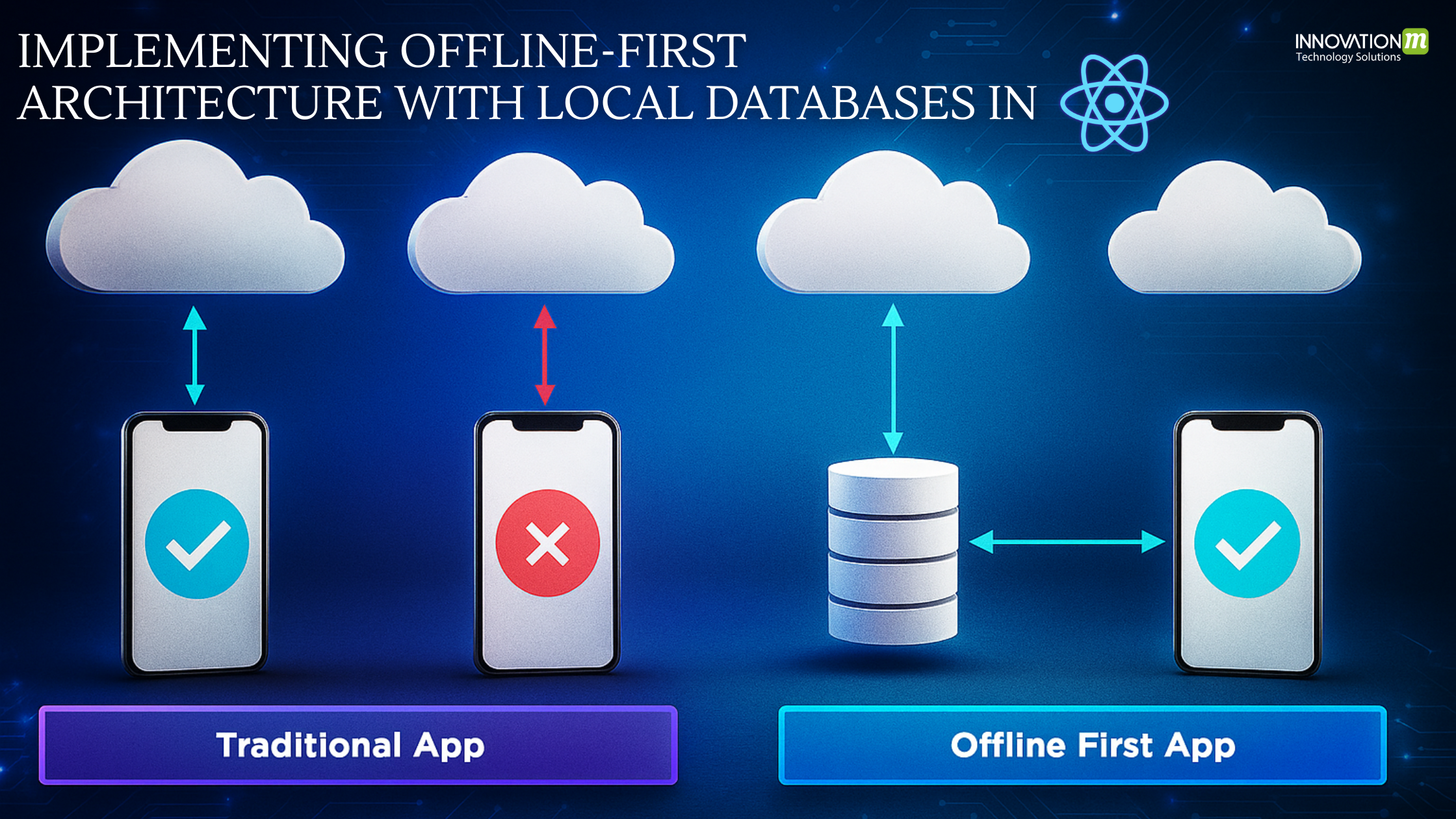
In today’s mobile-first world, ensuring your app works seamlessly without an internet connection is no longer a luxury — it’s a necessity. This is where the Offline-First architecture comes in. In this guide, we’ll implement an offline-first architecture in a React Native application using local databases, data synchronization, and network status handling.
Table of Contents
- What is Offline-First Architecture?
- Why Offline-First in React Native?
- Tools and Libraries
- Setting up the Project
- Using SQLite with react-native-sqlite-storage
- Detecting Network Status
- Syncing Data with Remote API
- Handling Conflicts
- Example Use Case: Notes App
- Best Practices
- Conclusion
What is Offline-First Architecture?
Offline-First means your application prioritizes local data and uses the network only when available. The user should be able to read/write data offline, and it should sync with the backend once the network is available.
Why Offline-First in React Native?
- Better UX in unstable networks.
- Faster access to data.
- Essential for travel, rural areas, or low-end devices.
Tools and Libraries
We’ll use:
- react-native-sqlite-storage: Local database storage
- @react-native-community/netinfo: Network status
- axios: API requests
- redux or zustand: For state management (optional)
- background-fetch or custom logic for sync (optional for auto-sync)
Install dependencies:
npm install react-native-sqlite-storage @react-native-community/netinfo axios
For iOS and Android, link SQLite properly:
cd ios && pod install
Setting up the Project
Create a new React Native project:
npx react-native init OfflineFirstApp
cd OfflineFirstApp
Using SQLite with react-native-sqlite-storage
✅ Initialize SQLite
// db.js
import SQLite from 'react-native-sqlite-storage';

SQLite.enablePromise(true);

export const getDBConnection = async () => {

return await SQLite.openDatabase({ name: 'offline.db', location: 'default' });

};

export const createTables = async (db) => {

const query = `CREATE TABLE IF NOT EXISTS notes (

id INTEGER PRIMARY KEY AUTOINCREMENT,

title TEXT,

content TEXT,

synced INTEGER DEFAULT 0

)`;

await db.executeSql(query);

};

export const insertNote = async (db, note) => {

const insertQuery = 'INSERT INTO notes (title, content, synced) VALUES (?, ?, ?)';

await db.executeSql(insertQuery, [note.title, note.content, 0]);

};

export const getUnsyncedNotes = async (db) => {

const [results] = await db.executeSql('SELECT * FROM notes WHERE synced = 0');

return results;

};

const notes = [];

for (let i = 0; i < results.rows.length; i++) {

notes.push(results.rows.item(i));

}

return notes;

};

export const markAsSynced = async (db, noteId) => {

await db.executeSql(

`UPDATE notes SET synced = 1 WHERE id = ?`,

[noteId]

);

};
Detecting Network Status
// useNetwork.js
import { useEffect, useState } from 'react';

import NetInfo from '@react-native-community/netinfo';

const useNetwork = () => {

  const [isConnected, setIsConnected] = useState(true);

  useEffect(() => {

    const unsubscribe = NetInfo.addEventListener(state => {

      setIsConnected(state.isConnected);

    });

    return () => unsubscribe();

  }, []);

  return isConnected;

};

export default useNetwork;
Syncing Data with Remote API
Example sync function
// sync.js
import axios from 'axios';

import { getDBConnection, getUnsyncedNotes, markAsSynced } from './db';

export const syncNotes = async () => {

  const db = await getDBConnection();

  const unsyncedNotes = await getUnsyncedNotes(db);

  for (const note of unsyncedNotes) {

    try {

      await axios.post('https://your-api.com/notes', {

        title: note.title,

        content: note.content,

      });

      await markAsSynced(db, note.id);

    } catch (error) {

      console.log('Sync failed for note:', note.id);

    }

  }

};
You can trigger syncNotes() when the network becomes available.
Handling Conflicts
Use timestamps and conflict resolution strategies:
- Last-write-wins
- Merge if both updated
- Prompt user for manual resolution
Update the DB schema:
ALTER TABLE notes ADD COLUMN updated_at TEXT;
Compare timestamps before syncing.
Example Use Case: Notes App
Create Note Screen
// CreateNote.js
import React, { useState } from 'react';

import { View, TextInput, Button } from 'react-native';

import { getDBConnection, insertNote } from './db';

import useNetwork from './useNetwork';

import { syncNotes } from './sync';

const CreateNote = () => {

  const [title, setTitle] = useState('');

  const [content, setContent] = useState('');

  const isConnected = useNetwork();

  const saveNote = async () => {

    const db = await getDBConnection();

    await insertNote(db, { title, content });
    if (isConnected) {

      await syncNotes();

    }

    setTitle('');

    setContent('');

  };
  return (

    <View>

      <TextInput placeholder="Title" value={title} onChangeText={setTitle} />

      <TextInput placeholder="Content" value={content} onChangeText={setContent} />

      <Button title="Save Note" onPress={saveNote} />

    </View>

  );

};
export default CreateNote;
Best Practices
- Use timestamps for syncing.
- Consider retry strategies with exponential backoff.
- Use queueing mechanisms to ensure order of operations.
- Optimize for battery by syncing on certain conditions (WiFi, charging).
- Encrypt sensitive local data if needed.
Optional Enhancements
- Use WatermelonDB or Realm for complex apps.
- Background sync using react-native-background-fetch.
- Use redux-persist to persist the UI state.
- Add UI indicators for “syncing” state.
Conclusion
Implementing an offline-first architecture in React Native greatly improves UX, especially in real-world conditions where connectivity is unreliable. With local databases, smart sync logic, and proper network detection, you can ensure a robust user experience.


