
Search from a list – Reusable Test Cases
Searching data is an essential feature and is majorly used functionality in all the applications these days . We can see various examples of applications like Google maps – for searching places, Zomato – for searching dishes or places, Ola – for reaching correct destination, Play-store/App-store – for searching applications.
People are so much dependent on this feature that it has to go right without fetching wrong results but the accurate results only.
So here are some reusable test cases that can be used for searching from a list
| Sno. | Scenario | Expected Result |
| 1 | User taps on Search bar | The cursor should be visible on the screen (Refer to Image1) |
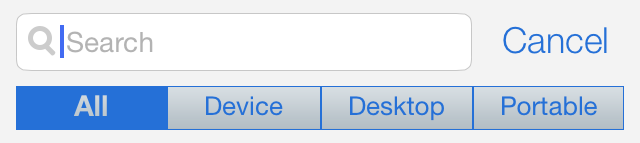
Image 1
| Sno. | Scenario | Expected Result |
| 2 | User types any character and taps on search | The matching data should get filtered (Refer to Image 2) |
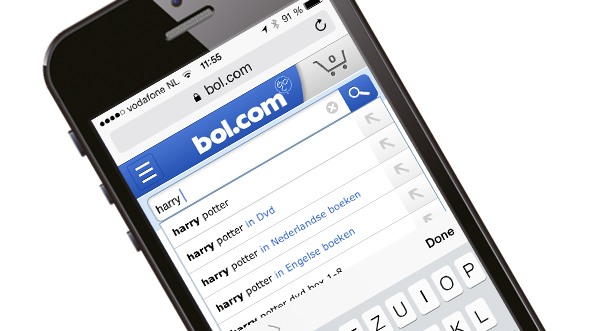
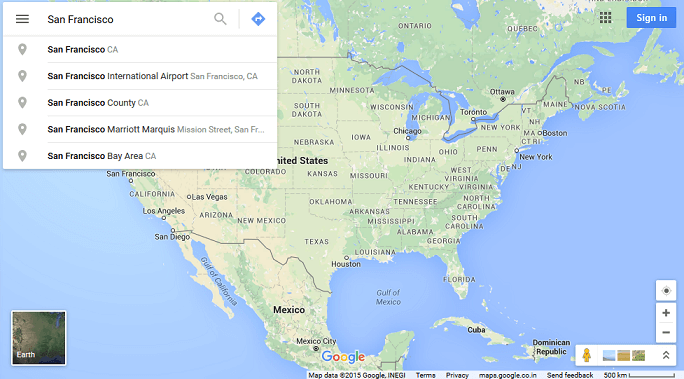
Image 2
| Sno. | Scenario | Expected Result |
| 3 | User types any character and taps on search | Search should be on the basis of the matching sequence and not the initial characters. It should be like search. (Refer to Image 3) |
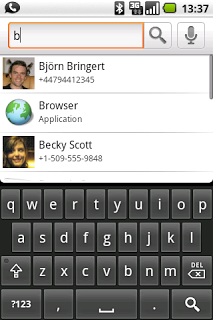
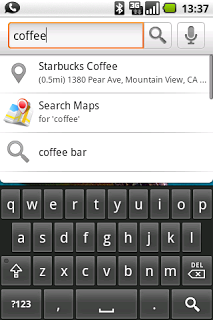
Image 3
| Sno. | Scenario | Expected Result |
| 4 | user types any character in any of the ways for eg. ‘Face’ or ‘face’ or ‘FACE’ and taps on search | Search should not be case sensitive (Refer to Image 4) |
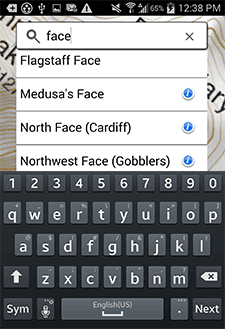
Image 4
| Sno. | Scenario | Expected Result |
| 5 | User types any character and no matching data is listed | User should be notified about it .message to be shown as ‘No Data found’ (Refer to Image 5) |
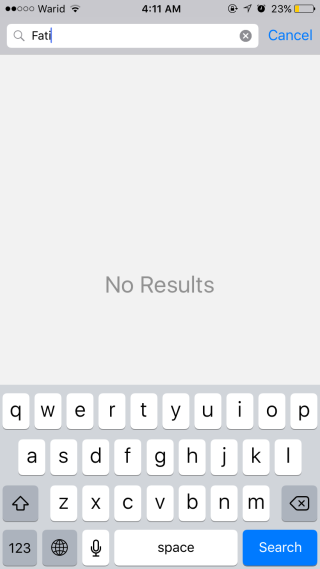
Image 5
| Sno. | Scenario | Expected Result |
| 6 | User clears the search field after typing any character | The filter should get reset |
| 7 | Ordering of the list after user types any character and searches | It should be sorted in the order as they were before searching |
| 8 | User searches data offline | Offline search should be enabled as per the requirements of the application |
| 9 | User types junk characters in the search field or if some such keyword is entered that makes emotions like 🙂 and many other | Junk characters should be handled by the application. message to be shown as ‘No Data found’ |
| 10 | If user searches with blank field | No change should occur on the screen |
| 11 | Verify response time of search | The search results should be quick |
| 12 | User did successful search and list view is shown | List view should be shown with correct Section indexer (Refer to Image 6) |
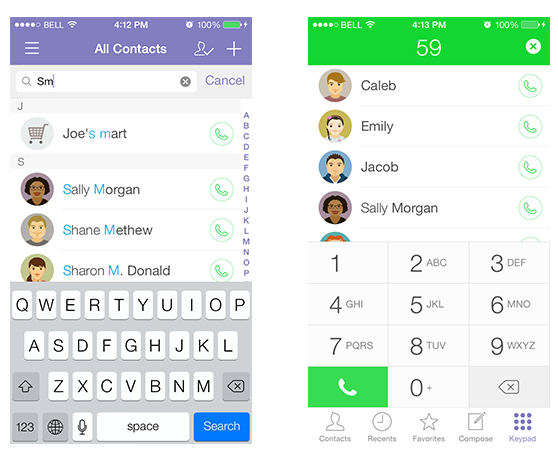
Image 6