innovationM
← Back to Blogs

Android

Android UX – Data selection pattern – Choose Data from a List

Manish Seth 11 Sep 2013 1 min read

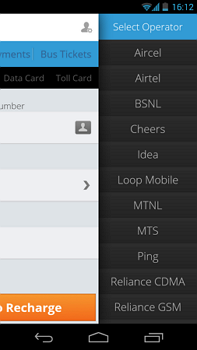
Sliding Effect (Parent partially visible)

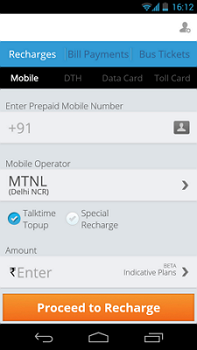
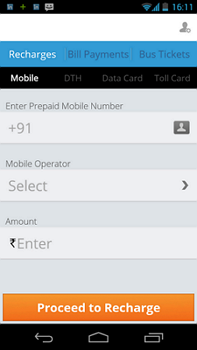
In this example, operator has to be selected. User taps on the field and the screen moves  / slides to the left to give space to show the list.
InnovationM UX Pattern Select Data 1  InnovationM UX Pattern Select Data 2  InnovationM UX Pattern Select Data 3

Good points:
– Parent screen is visible. Very good from UX perspective that user still knows the context where it started from. Makes user more confident in what he is doing.

Improvements:
– Parent field name is not visible. It can be made visible and also that field should be highlighted telling user as to for which field he is selecting the data.


About the Author

Manish Seth

Contributor at InnovationM.

LinkedIn

Transform Your Ideas with Expert Guidance

icon
15+ Years of Expertise

Delivering high-impact solutions with years of industry experience.

icon
100+ Satisfied Clients

Helping contact industry software experts to achieve their brand goals.

icon
250+ In-House Team Members

A skilled team ready to tackle projects of any scale.

Book a consultation call with our experts today