

Developing an app for both iOS and Android platforms can get complicated pretty quickly. Traditionally, businesses had to maintain separate codebases and often separate teams for each platform. That meant more development work, higher costs, and more time spent fixing and updating the same features twice. Cross-platform app development has changed that. With the right framework, developers can build much of an application from a shared codebase and bring it to multiple platforms more efficiently.
And there’s a good reason businesses are paying attention to this approach. In July 2026, Android accounted for 68.36% of worldwide mobile OS market share, while iOS held 31.6%. In other words, if you’re building a mobile application, there’s a strong chance you’ll want to reach users on both platforms.
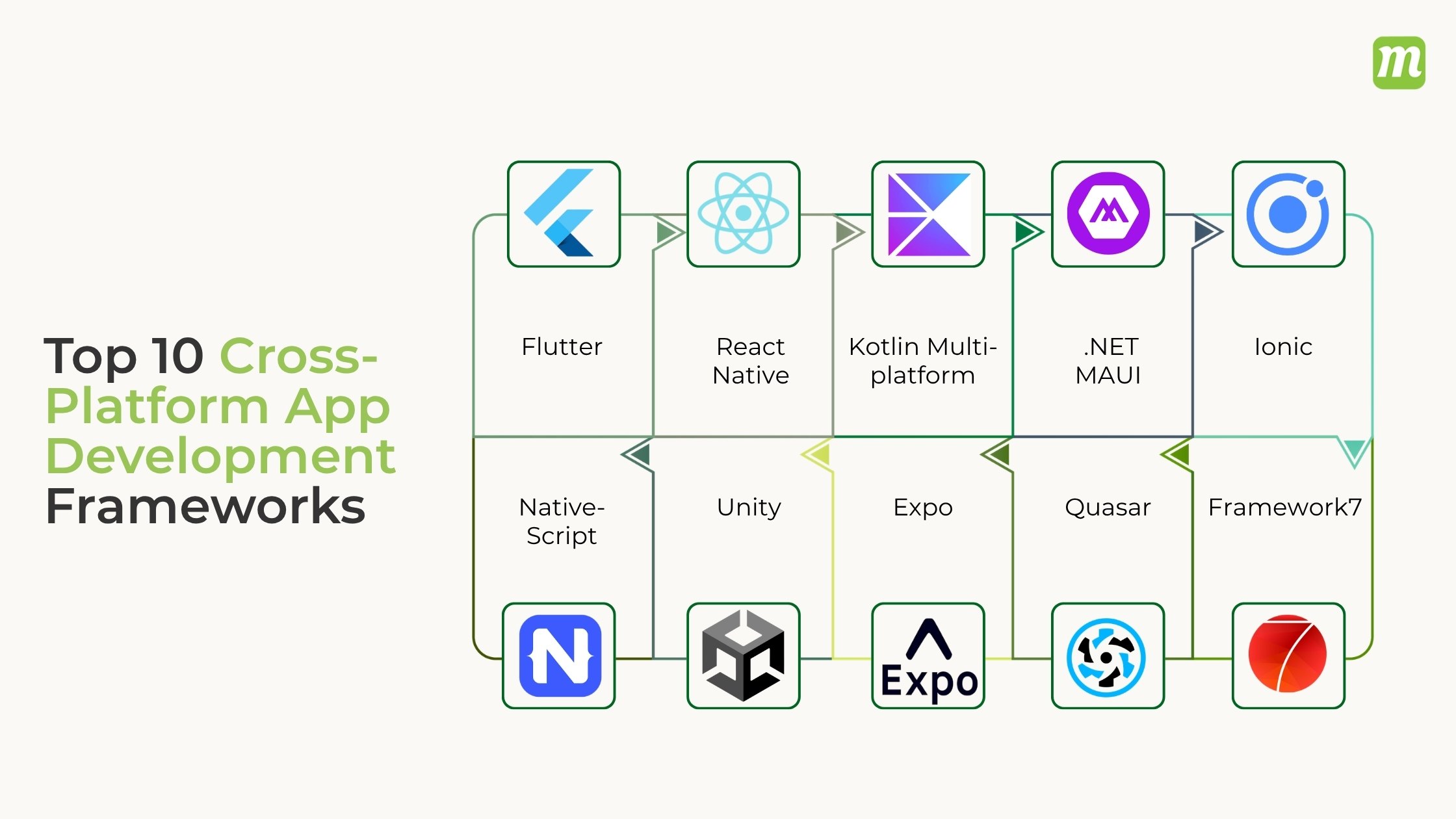
The good news is that cross-platform development is no longer limited to basic apps. Frameworks such as Flutter, React Native, Kotlin Multiplatform, and .NET MAUI have matured significantly, giving development teams more options when it comes to performance, UI design, native features, and code reuse. Depending on the project, you can also explore options such as Ionic, NativeScript, Quasar, Framework7, Expo, and Unity.
But which one should you actually choose? Is Flutter a better fit than React Native? When does Kotlin Multiplatform make more sense? And what about frameworks designed around web technologies or specific use cases?
In this guide, we’ll break down the top 10 cross-platform app development frameworks in 2026, look at what each one does well, where it falls short, and the types of apps it’s best suited for. We’ll also compare cross-platform and native development so you can make a choice based on your project instead of which framework is trending at the moment.
What is Cross-Platform App Development?
Cross-platform app development is the practice of building software applications that can run on multiple operating systems (such as iOS, Android, Windows, and macOS) using a single, shared codebase. Instead of writing separate code for each platform using different programming languages, developers write the core logic once and deploy it everywhere, saving significant time and money.
Key Benefits
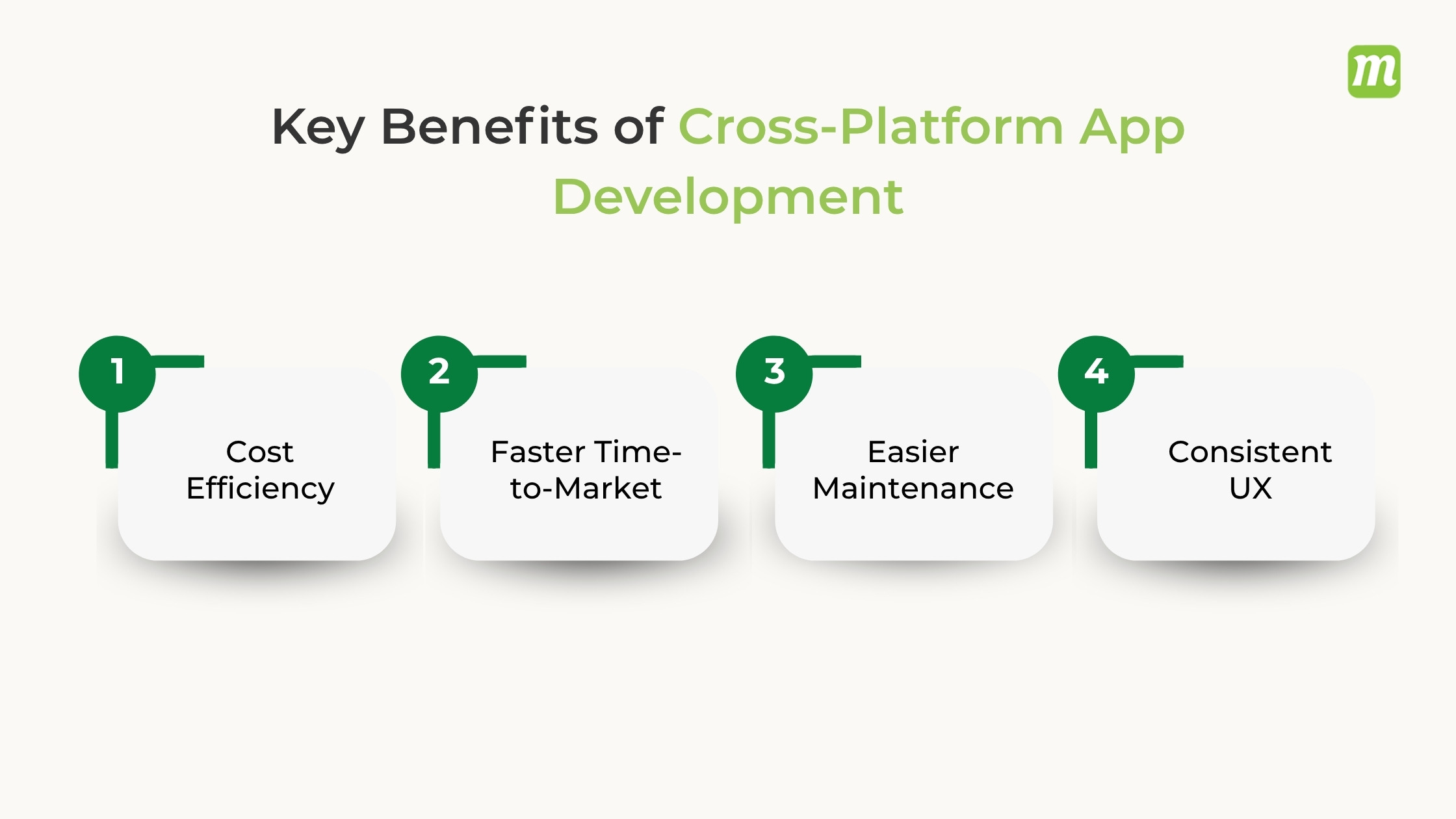
- Cost Efficiency: Reduces development expenses by 30–40% since you do not need separate teams for each operating system.
- Faster Time-to-Market: Shipping a single codebase allows businesses to launch on iOS and Android simultaneously.
- Easier Maintenance: Bug fixes, updates, and feature rollouts only need to be coded once to apply across all devices.
- Consistent UX: Ensures the application looks, feels, and behaves identically for all users, regardless of their device.
Why Choose Cross-Platform App Development in 2026?
Choosing cross-platform app development in 2026 allows businesses to cut costs by up to 50% and launch on iOS and Android simultaneously using a single codebase. Mature frameworks like Flutter, React Native, and Kotlin Multiplatform deliver near-native performance, streamlined AI tool integration, and easier long-term maintenance.
Key Benefits
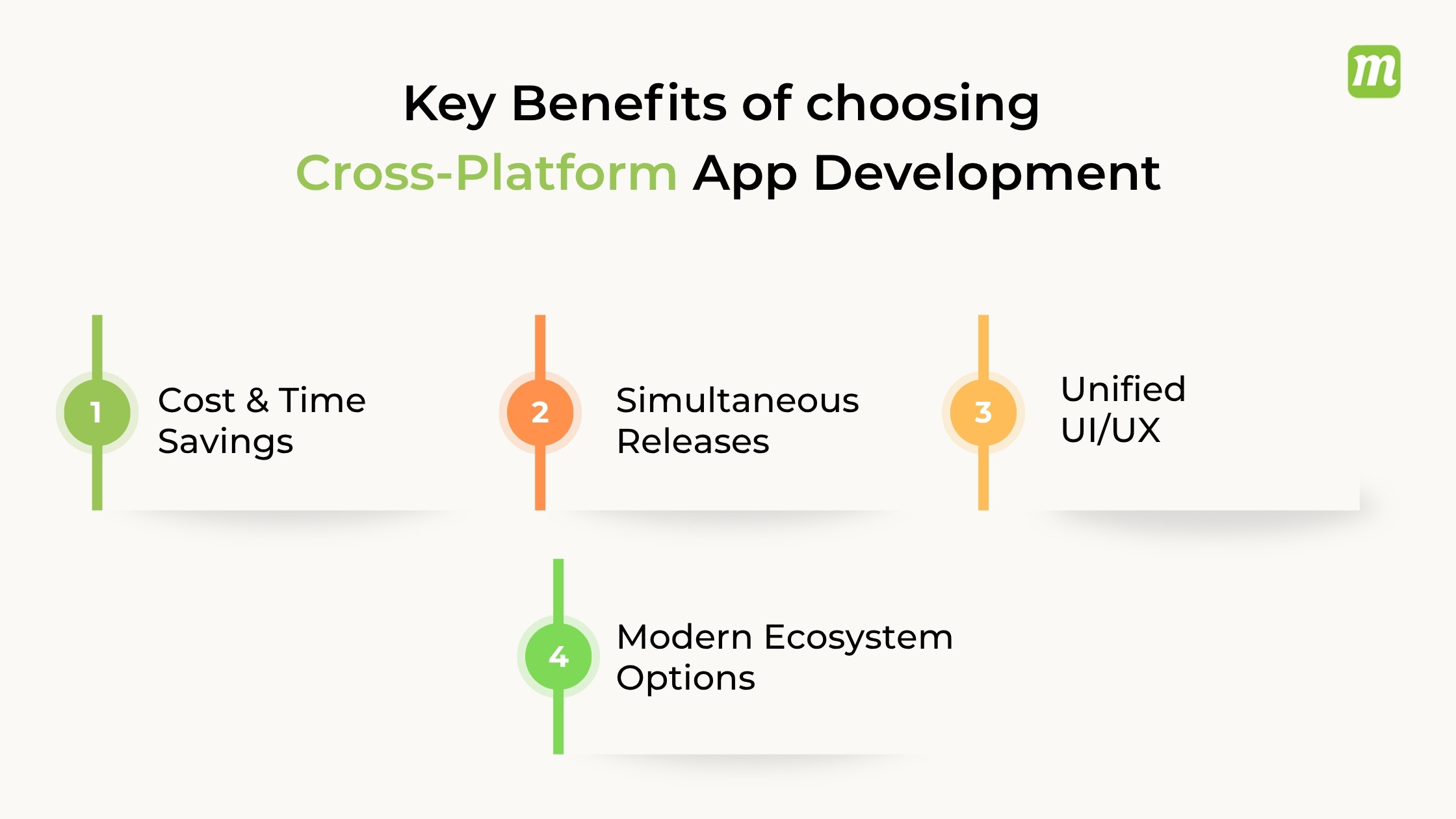
- Cost & Time Savings: Write one codebase instead of hiring separate teams for iOS and Android, cutting delivery time in half.
- Simultaneous Releases: Push updates, bug fixes, and new features to all mobile app stores at the exact same time.
- Unified UI/UX: Maintain a consistent brand look and feel across different phone models and operating systems.
- Modern Ecosystem Options: Choose tools tailored to your team’s current skills, such as JavaScript for React Native or shared logic via Kotlin Multiplatform.
Top 10 Cross-Platform App Development Frameworks in 2026
Choosing the right cross-platform app development framework can have a major impact on your development speed, app performance, scalability, and long-term maintenance. In 2026, developers have more options than ever, ranging from UI-focused frameworks such as Flutter and React Native to specialized solutions such as Unity and Kotlin Multiplatform.
Below are the top 10 cross-platform app development frameworks worth considering in 2026, along with their key advantages, limitations, and ideal use cases.
1. Flutter
Flutter, developed by Google, continues to be one of the most popular choices for building cross-platform applications from a single codebase. Powered by Dart, Flutter gives developers extensive control over the user interface and supports mobile, web, and desktop applications. Its widget-based architecture makes it particularly attractive for teams that want highly customized interfaces without maintaining separate codebases for each platform.
Pros
- Single codebase: Build applications for Android, iOS, web, Windows, macOS, and Linux from largely shared code.
- Rich UI capabilities: Provides a large collection of customizable widgets for creating consistent and visually appealing interfaces.
- Fast development: Features such as hot reload allow developers to see code changes quickly during development.
Cons
- Dart learning curve: Teams unfamiliar with Dart may need time to become productive.
- App size: Flutter applications can have a larger initial binary size than some native alternatives.
- Platform-specific work: Highly specialized native features may still require platform-specific code.
Examples
- E-commerce and retail applications
- Fintech and banking applications
- SaaS and business applications
- Consumer apps requiring highly customized interfaces
2. React Native
React Native, backed by Meta, is a popular framework for developing mobile applications with JavaScript or TypeScript and React. It allows teams to share a significant portion of their application code between iOS and Android while still accessing native platform capabilities when needed. Its large developer community, mature ecosystem, and familiarity among React developers make it a practical choice for startups as well as established businesses.
Pros
- Large ecosystem: Developers can access a broad range of libraries, tools, and community resources.
- JavaScript and TypeScript support: Makes it accessible to teams already working with modern web technologies.
- Native capabilities: Developers can integrate native modules when platform-specific functionality is required.
Cons
- Dependency management: Third-party libraries can sometimes introduce compatibility or maintenance challenges.
- Native expertise may be required: Complex platform-specific features can require knowledge of Swift, Objective-C, Kotlin, or Java.
- Performance considerations: Apps with demanding animations or computationally intensive workloads may require additional optimization.
Examples
- Social networking applications
- E-commerce and marketplace apps
- Content and media applications
- Business and productivity apps
3. Kotlin Multiplatform
Kotlin Multiplatform, developed by JetBrains, takes a different approach to cross-platform development. Instead of forcing developers to create one completely shared application layer, it allows teams to share business logic while retaining native UI development where it makes sense. This makes KMP particularly appealing to teams that want code reuse without giving up the flexibility and platform-specific experience of native applications.
Pros
- Shared business logic: Teams can reuse networking, data, authentication, and other common application logic.
- Native user experiences: Developers can build platform-specific interfaces when required.
- Kotlin ecosystem: Works naturally with Kotlin-based development environments and tools.
Cons
- More complex architecture: Teams need to understand how shared and platform-specific code should work together.
- Less code sharing for some projects: Teams seeking a completely shared UI may prefer Flutter or React Native.
- Learning curve: Developers may need time to understand Kotlin Multiplatform’s project structure and tooling.
Examples
- Banking and fintech applications
- Enterprise mobile applications
- Applications sharing complex business logic across platforms
- Products requiring strong native platform integration
4. .NET MAUI
.NET MAUI, or .NET Multi-platform App UI, is Microsoft’s modern framework for building applications across Android, iOS, macOS, and Windows using C# and .NET. It is especially relevant for organizations already invested in the Microsoft ecosystem. By allowing teams to share application logic and UI components, .NET MAUI can simplify development and maintenance while fitting naturally into existing .NET development workflows.
Pros
- Strong Microsoft ecosystem integration: Works well with .NET, C#, Azure, and other Microsoft technologies.
- Code sharing: Developers can reuse application logic and UI components across supported platforms.
- Enterprise-friendly: A strong option for organizations already using Microsoft technologies and tooling.
Cons
- Best suited to .NET teams: Organizations without C# or .NET expertise may face a steeper learning curve.
- Platform-specific work: Some advanced device functionality still requires native platform code.
- Smaller ecosystem than some competitors: Its third-party ecosystem is not as extensive as React Native’s.
Examples
- Enterprise business applications
- Internal workforce applications
- Customer relationship management apps
- Windows-connected mobile and desktop applications
5. Ionic
Ionic is a web-focused framework that enables developers to build mobile applications using familiar technologies such as HTML, CSS, and JavaScript or TypeScript. When combined with Capacitor, Ionic applications can access native device capabilities and be deployed to mobile platforms. This approach makes Ionic particularly useful for web development teams that want to extend their existing skills into mobile application development.
Pros
- Web technology foundation: Developers can use familiar HTML, CSS, JavaScript, and TypeScript skills.
- Cross-platform deployment: Applications can target mobile, web, and progressive web app experiences.
- Strong integration options: Works with popular frontend technologies and native device capabilities through Capacitor.
Cons
- WebView considerations: Performance can vary depending on the application’s complexity and implementation.
- Less native by default: Apps with highly demanding native interactions may require additional optimization.
- Native expertise may still be needed: Advanced device functionality can require platform-specific implementation.
Examples
- Progressive web applications
- E-commerce applications
- Internal business tools
- Content-driven mobile applications
6. NativeScript
NativeScript is a cross-platform framework that allows developers to build native mobile applications using JavaScript or TypeScript. Rather than relying primarily on traditional web views, NativeScript provides access to native platform APIs while allowing developers to work with familiar web-development languages. This makes it an interesting option for teams that want more direct access to native functionality without maintaining completely separate application codebases.
Pros
- Native API access: Developers can work directly with native platform capabilities.
- JavaScript and TypeScript support: Teams can leverage familiar development languages.
- Cross-platform development: A shared codebase can reduce duplicated development work.
Cons
- Smaller ecosystem: It has a smaller community and ecosystem than Flutter or React Native.
- Fewer mainstream resources: Developers may find fewer tutorials, packages, and community solutions for niche requirements.
- Maintenance considerations: Teams should evaluate ecosystem activity and long-term support before starting a large project.
Examples
- Business applications
- Utility and productivity apps
- Mobile applications requiring native device APIs
- Enterprise applications with specialized device functionality
7. Unity
Unity is best known as a game development engine, but its cross-platform capabilities extend far beyond traditional games. It supports 2D, 3D, augmented reality, virtual reality, and other immersive experiences across a wide range of platforms. With C# as its primary scripting language and a mature development ecosystem, Unity is a strong choice when an application depends heavily on graphics, animation, simulations, or interactive 3D experiences.
Pros
- Powerful graphics: Excellent capabilities for 2D, 3D, animation, and real-time rendering.
- Wide platform support: Applications and experiences can be deployed across numerous platforms.
- Mature ecosystem: Offers extensive tools, assets, plugins, and development resources.
Cons
- Overkill for standard apps: Unity may be unnecessary for simple business or content applications.
- Larger application footprint: Unity-based applications can require more resources than lightweight app frameworks.
- Specialized development model: Teams building conventional mobile apps may find traditional UI frameworks more suitable.
Examples
- Mobile games
- Augmented and virtual reality applications
- Training and simulation applications
- Interactive 3D product experiences
8. Expo
Expo is a development platform and toolchain built around React Native that simplifies many parts of building, testing, and deploying cross-platform applications. It provides developers with tools and services that can reduce the complexity of setting up React Native projects and managing builds. For teams already comfortable with React and React Native, Expo can significantly streamline the development workflow.
Pros
- Simplified React Native development: Reduces setup and configuration work for many projects.
- Fast development workflow: Provides tools that make testing and iteration easier.
- Build and deployment tooling: Helps teams manage application builds and releases more efficiently.
Cons
- Not a separate UI framework: Expo is built around React Native rather than replacing it.
- Native customization considerations: Some advanced requirements may require additional native configuration or development.
- Toolchain dependency: Teams should evaluate Expo’s capabilities against their specific native integration requirements.
Examples
- Startup MVPs
- Consumer mobile applications
- E-commerce applications
- Rapidly developed React Native products
9. Quasar
Quasar is a Vue. js-based framework designed to help developers build applications for multiple platforms from a shared codebase. It supports web applications, mobile applications, desktop applications, and progressive web apps, making it particularly attractive to teams already working with Vue. Its component library and CLI tooling can help developers move from an idea to a deployable application without maintaining completely separate projects for every target platform.
Pros
- Vue.js integration: A natural choice for teams already familiar with Vue.
- Multiple deployment targets: Supports web, mobile, desktop, and PWA development.
- Reusable components: Provides a broad collection of UI components for application development.
Cons
- Vue-specific ecosystem: Teams without Vue experience may need additional onboarding.
- Smaller community: Its ecosystem is smaller than those of React Native and Flutter.
- Platform-specific requirements: Advanced native functionality may still require additional configuration.
Examples
- Progressive web applications
- Business dashboards
- E-commerce applications
- Desktop and mobile applications built with Vue
10. Framework7
Framework7 is a mobile-focused framework designed for building applications with web technologies while providing interfaces inspired by native mobile design patterns. It supports modern frontend approaches and is particularly useful for teams that want to create mobile and PWA experiences using familiar web development skills. Its emphasis on mobile UI components makes it a practical option for lightweight applications and web-based mobile experiences.
Pros
- Mobile-focused UI: Provides components designed around mobile application experiences.
- Web technology support: Developers can use familiar HTML, CSS, and JavaScript-based technologies.
- Flexible integration: Can work alongside popular frontend tools and frameworks.
Cons
- More limited ecosystem: It does not have the same scale of adoption as Flutter or React Native.
- Performance depends on implementation: Complex applications may require careful optimization.
- Not ideal for every native-heavy app: Applications requiring extensive native functionality may be better served by other approaches.
Examples
- Mobile web applications
- Progressive web apps
- Business and productivity applications
- Content-focused mobile experiences
Comparison of the Top 10 Cross-Platform App Development Frameworks
| Framework | Best For | Pros | Cons | Examples |
| Flutter | Custom UI and multi-platform applications | Single codebase, rich UI toolkit, fast development | Dart learning curve, larger app size, native code may be needed | E-commerce, fintech, SaaS, consumer apps |
| React Native | Mobile apps for iOS and Android | Large ecosystem, JavaScript/TypeScript, native capabilities | Dependency management, native expertise for complex features | Social apps, marketplaces, content apps |
| Kotlin Multiplatform | Apps requiring shared business logic and native UX | Native UI, shared logic, Kotlin ecosystem | Architectural complexity, less UI sharing | Banking, enterprise, fintech apps |
| .NET MAUI | Enterprise apps in the Microsoft ecosystem | C#/.NET integration, code sharing, enterprise support | Smaller ecosystem, .NET expertise required | Business apps, CRM, workforce apps |
| Ionic | Web-based mobile and PWA development | Familiar web technologies, PWA support, flexible integrations | WebView limitations, native-heavy features may require extra work | E-commerce, PWA, internal tools |
| NativeScript | Apps requiring direct native API access | Native API access, TypeScript support, code reuse | Smaller ecosystem, fewer community resources | Utility, enterprise, device-focused apps |
| Unity | Games and immersive experiences | Powerful graphics, broad platform support, mature ecosystem | Overkill for standard apps, larger footprint | Games, AR/VR, simulations, 3D experiences |
| Expo | Rapid React Native development | Simplified workflow, fast development, build tooling | Built on React Native, advanced native work may require extra configuration | MVPs, consumer apps, e-commerce |
| Quasar | Vue-based multi-platform applications | Vue integration, multiple targets, reusable components | Smaller ecosystem, Vue expertise required | PWAs, dashboards, e-commerce, desktop apps |
| Framework7 | Mobile web apps and PWAs | Mobile UI components, web technologies, flexible integration | Smaller ecosystem, limitations for native-heavy apps | PWAs, mobile web apps, productivity apps |
Flutter vs React Native vs .NET MAUI vs Kotlin Multiplatform
Choosing between Flutter, React Native, .NET MAUI, and Kotlin Multiplatform (KMP) depends entirely on your team’s existing skill set, performance needs, and desired user experience. Flutter is best for highly customized, pixel-perfect UIs, React Native dominates for web-focused teams using JavaScript/React, Kotlin Multiplatform is ideal for native-level performance with shared business logic, and .NET MAUI serves enterprise teams heavily invested in the Microsoft ecosystem.
High-Level Comparison
| Feature | Flutter | React Native | .NET MAUI | Kotlin Multiplatform (KMP) |
| Primary Language | Dart | JavaScript / TypeScript | C# | Kotlin |
| Backed By | Meta | Microsoft | JetBrains / Google | |
| UI Approach | Custom rendering engine | Wraps native controls | Wraps native controls | Flexible (Native or Compose UI) |
| Performance | High (compiled code) | Near-native (improved architecture) | Good (evolving ecosystem) | True Native (runs compiled binaries) |
| Ecosystem Size | Massive (pub.dev) | Massive (npm) | Moderate (NuGet) | Growing rapidly |
Detailed Breakdown
Flutter: Best for Custom UI and Rapid Prototyping
Flutter uses its own rendering engine to draw every single pixel on the screen, completely bypassing native platform components.
- Pros: Highly consistent UI across iOS, Android, web, and desktop; excellent performance and smooth 120 FPS animations; fast development cycle with hot reload.
- Cons: Larger initial app size; uses Dart, which is a less common programming language outside of the Flutter ecosystem.
React Native: Best for Web Teams and Massive Ecosystems
React Native renders actual native components under the hood, making your application feel tightly integrated with the host operating system.
- Pros: Excellent for web development teams already using React; high code reusability with existing web apps; supported by Expo for seamless building and deployments.
- Cons: Complex animations can cause performance lags due to the bridge between JavaScript and native layers; high reliance on third-party libraries that require frequent updating.
Kotlin Multiplatform (KMP): Best for Max Performance and Native Control
Unlike the other three frameworks, KMP focuses strictly on sharing core business logic (networking, data caching, architecture) while leaving you free to write native UIs. However, sharing UI is now stable using Compose Multiplatform.
- Pros: True native performance with no runtime overhead; lets you adopt cross-platform incrementally without rewriting your existing native apps; officially backed by Google for Android.
- Cons: Steeper learning curve as developers usually need familiarity with both iOS and Android environments; configuration and initial environment setup can be complex.
.NET MAUI: Best for Microsoft Enterprise Ecosystems
The spiritual successor to Xamarin, .NET MAUI allows C# developers to target mobile and desktop ecosystems natively from a single codebase.
- Pros: Ideal for enterprises with existing .NET/C# infrastructures; excellent out-of-the-box support for Windows desktop apps alongside mobile.
- Cons: The ecosystem and package support feel less mature compared to Flutter and React Native; compiling for iOS sometimes introduces binding errors with native libraries.
How to Choose Your Framework
- Choose Flutter if: You want a completely unified custom UI design, high-frequency animations, and a unified development experience across mobile, desktop, and web.
- Choose React Native if: Your company already has JavaScript/React engineers and you want to share structural logic between your web and mobile applications.
- Choose Kotlin Multiplatform if: Performance is critical, you want to retain native iOS/Android system capabilities, or you want to transition a native app into a cross-platform setup over time.
- Choose .NET MAUI if: Your backend, desktop infrastructure, and internal developer expertise are fully integrated into the Microsoft .NET tech stack.
How to Choose the Right Cross-Platform Framework?
To choose the right cross-platform framework, match your project requirements, team skills, and budget to the specific strengths of leading options like Flutter, React Native, or Kotlin Multiplatform. Assess performance needs, UI complexity, and long-term maintenance before making a final decision. Below is a list of things you need to keep in mind when choosing the best cross-platform framework for your project:
Assess Team Skills and Knowledge
- JavaScript/React Background: Choose React Native if your team already builds web apps using React.
- Native or Dart Expertise: Choose Flutter if your developers know object-oriented concepts or come from a native mobile background.
- Deep Native Android/iOS Skills: Choose Kotlin Multiplatform to share business logic while keeping native UI code.
Evaluate App and Performance Requirements
- Visually Rich UIs: Use Flutter for custom, highly branded, and animation-heavy interfaces that look identical across devices.
- Native Look and Feel: Use React Native for a standard platform-specific UI component behavior.
- Complex Logic and Scalability: Use Kotlin Multiplatform if raw performance and hardware optimization are top priorities.
Review Project Budget and Timeline
- Fast MVPs: Hybrid options like Ionic or standard cross-platform tools reduce initial development costs.
- Long-Term Maintenance: Factor in community support, package stability, and how easily your team can handle version upgrades.
Cross-Platform vs Native App Development
The primary difference is that native app development involves building separate applications for iOS and Android using platform-specific languages, while cross-platform development uses a single shared codebase to deploy apps onto both platforms simultaneously.
Choosing between them shapes your app’s performance, development budget, and time-to-market.
Quick Comparison
| Feature | Native App Development | Cross-Platform App Development |
| Codebase | Multiple (one per platform) | Single (shared across platforms) |
| Languages | Swift (iOS), Kotlin/Java (Android) | JavaScript, Dart, C# |
| Performance | High (optimized for device hardware) | Moderate to High (can lag with heavy graphics) |
| Time-to-Market | Slower (building two apps from scratch) | Faster (simultaneous platform delivery) |
| Cost | Higher (requires separate specialist teams) | Lower (up to 30-40% savings on development) |
| Hardware Access | Seamless, immediate access to all APIs | Dependent on plugin/wrapper availability |
Native App Development
Native apps are coded using the core languages and software development kits (SDKs) provided directly by Apple or Google.
Pros
- Peak Performance: Directly compiles to machine code, offering fast rendering and seamless fluid animations.
- Instant Feature Adoption: Immediate access to the latest OS features, security APIs, and hardware components like GPS or AR kits.
- Strict Security: Advanced file encryption and platform-validated fraud protection libraries make native apps highly secure.
Cons
- Higher Expenses: You must pay for independent development teams to build and maintain two separate applications.
- Longer Launch Times: Writing separate codebases duplicates the creation, testing, and deployment cycles.
Cross-Platform App Development
Cross-platform frameworks compile a single codebase into platforms-compliant builds, usually sharing 60% to 95% of the logic. Popular modern frameworks include React Native (JavaScript/TypeScript), Flutter (Dart), and Kotlin Multiplatform.
Pros
- Resource Efficiency: A single engineering team builds and maintains all iterations of the product.
- Rapid Deployment: Ship Minimum Viable Products (MVPs) to iOS and Android markets at the exact same time.
- Easy Maintenance: Bug fixes and logical updates apply instantly to both ecosystems from one code repository.
Cons
- Heavy Footprint: Cross-platform libraries carry extra overhead, which results in larger initial app download sizes.
- Custom Integration Hurdles: Accessing rare hardware configurations or low-level rendering modules often requires writing native code wrappers anyway.
How to Choose
- Choose Native if: You are constructing a highly secure fintech application, a graphic-intensive mobile game, or an AR/VR tool that relies heavily on internal device hardware.
- Choose Cross-Platform if: You are a startup launching an MVP, building a standard content-delivery/E-commerce app, or operating under a tight budget and strict timeline.
Future of Cross-Platform App Development
The future of cross-platform app development is defined by an unprecedented convergence of native performance, multi-device ecosystem expansions, and deep AI-driven automation. As market projections indicate a surge to $2.60 billion by 2034 with an 11.75% CAGR, cross-platform frameworks are evolving beyond simple code-sharing into robust, multi-display ecosystems.
Key Paradigm Shifts Driving the Future
- AI-Assisted and Generative Coding
- Automated layout formatting handles responsive design variables.
- Real-time semantic code translation fixes immediate runtime errors.
- Context-aware prompt generation accelerates component builds.
- Expansion Beyond Phones
- Single codebases dynamically target foldables and modern mobile hardware.
- Native compiling branches to wearable devices and smartwatches.
- Unified build tools optimize rendering engines for Extended Reality (XR) glasses.
- Vehicle control layers embed directly into IoT connected vehicle interfaces.
- The Rise of Progressive Web Apps (PWAs)
- Browser engines execute native-like system scripts.
- Local caching service workers maintain data access without connectivity.
- Standard web distributions entirely bypass Google Play and App Store approval pipelines.
Structural Shifts in Architecture
- Native Compilation Over Wrappers
- Legacy hybrid configurations that rely on slow browser wrappers are being replaced.
- Modern compilation structures communicate directly with native platform APIs.
- Frame execution speeds now closely match pure Swift or Kotlin profiles.
- Unified Enterprise Workflows
- Shared backend protocols synchronize mobile, web, and desktop pipelines simultaneously.
- Automated security checks scale system patches globally across one repository.
Why Choose InnovationM for Cross-Platform App Development?
Choosing InnovationM for cross-platform app development offers businesses 15+ years of expertise, a single-codebase efficiency using top frameworks like Flutter and React Native, faster time-to-market, and cost-effective enterprise-grade scalability tailored to startups and global enterprises alike.
Core Technical & Business Advantages
- Deep Framework Expertise: Skilled teams specialize in high-performance cross-platform frameworks like Flutter and React Native to ensure near-native speed and smooth UI/UX.
- Reduced Cost and Time: Single-codebase deployment cuts down repetitive coding, dual testing cycles, and overall maintenance overhead.
- Scalable Enterprise Architecture: Focuses on growth-ready, secure, and robust system designs capable of handling heavy user traffic.
- Next-Gen Tech Integration: Seamlessly embeds AI components, cloud computing backends, IoT, and complex API integrations into multi-platform apps.
- Agile Methodology: Transparent, iterative development sprints ensure continuous feedback implementation and risk-first planning before launch.
Frequently Asked Questions
1. Which is the best cross-platform app development framework in 2026?
In 2026, Flutter and React Native (often bundled with Expo) tied for the title of best overall cross-platform app development framework, depending entirely on your development priorities. Flutter leads the industry in visual rendering consistency, raw performance, and advanced AI-assisted tooling. Meanwhile, React Native dominates global market adoption, developer hiring pools, and rapid prototyping workflows via Expo.
2. Is Flutter better than React Native?
Neither framework is universally “better” than the other; the right choice depends entirely on your project’s specific requirements, your team’s existing skill sets, and your product goals.
While Flutter excels at pixel-perfect UI consistency and fluid animations across platforms, React Native offers unparalleled integration with the JavaScript ecosystem and a shorter learning curve for web developers.
3. Which framework is best for both Android and iOS?
Flutter and React Native are widely considered the best overall frameworks for both Android and iOS from this list, depending on your team’s programming language expertise.
4. Is cross-platform app development cheaper than native development?
Yes, cross-platform app development is generally 30% to 50% cheaper than native development. This cost reduction happens because you write one shared codebase using tools like Flutter or React Native for both iOS and Android, rather than building and maintaining two separate apps.
5. What is the best cross-platform framework for enterprise apps?
There is no single “best” framework for enterprise applications because the choice depends heavily on your existing corporate tech stack, required performance, and security needs. Industry research consistently highlights Flutter, React Native, Kotlin Multiplatform (KMP), and .NET MAUI as the top-tier enterprise choices.
6. What is the best framework for building a startup MVP?
The best framework for building a startup MVP (Minimum Viable Product) depends primarily on your team’s existing skill set, but Flutter and React Native (paired with Expo) are universally recognized as the top choices for speed, cost-efficiency, and ecosystem support.
The Endnote
Choosing a cross-platform framework doesn’t have to be a guessing activity. The important thing is to look at what your app actually needs rather than simply picking the framework with the biggest name or the most developers behind it.
For many businesses, Flutter and React Native are great starting points because they offer strong cross-platform capabilities, large ecosystems, and relatively fast development. Kotlin Multiplatform is worth considering when you want to share business logic while keeping a more native approach to the user experience. If your organization already relies heavily on C# and Microsoft’s technology stack, .NET MAUI can be a natural fit. Other options such as Ionic, Quasar, Framework7, NativeScript, Expo, and Unity can make sense when your project has more specific requirements.
The bottom line is that there isn’t one framework that’s perfect for every app. A highly visual consumer application may have very different requirements from an enterprise business app, a progressive web application, or an AR/VR experience. Your team’s skills, project complexity, performance expectations, required device features, budget, timeline, and long-term maintenance plans should all be part of the decision.
The right framework can make development faster and reduce the amount of duplicated work your team has to maintain. But the framework itself is only one part of software engineering, which also includes good architecture, experienced developers, proper testing, and a clear product strategy.
So, before you choose a framework, start with your product requirements and the work involved. Once you know what your app needs to achieve, choosing the technology becomes much easier, and you’ll be in a better position to build something that works well today and can keep up as your product grows.