

Choosing between React Native and Flutter can feel confusing, especially when both frameworks promise faster development, cross-platform support, and strong app performance. And with cross-platform development becoming increasingly popular, there are plenty of reasons to consider both. According to a 2023 developer survey conducted by Statista, 46% of software developers used Flutter, making it the most popular cross-platform mobile framework among developers surveyed. The same survey found that roughly one-third of mobile developers use cross-platform technologies or frameworks, while the rest rely on native development tools.
The numbers show that Flutter has built a strong position in the cross-platform development space, but popularity alone doesn’t make one framework the right choice for every project. React Native, backed by Meta, uses JavaScript or TypeScript and works closely with native platform components. Flutter, backed by Google, uses Dart and gives developers greater control over how an app looks and behaves across platforms. These differences can have a real impact on development speed, UI consistency, performance, hiring, maintenance, and overall project costs.
In this guide, we’ll break down React Native vs Flutter in simple terms and compare them across performance, UI, ecosystem, tooling, hiring, platform support, native integrations, and total cost of ownership. By the end, you’ll have a clearer idea of which framework makes more sense for your app development strategy, your development team, and your long-term business goals.
React Native vs Flutter: At a Glance
React Native by Meta and Flutter by Google are two of the leading cross-platform frameworks for building modern mobile applications. Their strong developer adoption also reflects their position in the cross-platform ecosystem. In the State of JavaScript 2025 survey, React Native was the most-used technology in the Mobile & Desktop category, with 2,212 respondents selecting it.
React Native uses JavaScript or TypeScript and native UI components, making it a practical choice for teams with web development experience and applications that benefit from a native platform look and feel. Flutter uses Dart and its own rendering approach, giving developers greater control over UI consistency, custom designs, animations, and cross-platform experiences.
While both frameworks can help teams build and maintain applications from a shared codebase, they differ significantly in UI rendering, performance, ecosystem, tooling, and platform support. Understanding these differences can help you choose the framework that best fits your product requirements and development strategy.
React Native vs Flutter: Which is Better for Your Project?
1. Languages and Ecosystem
- React Native: Uses JavaScript or TypeScript; backed by a massive, mature web developer community.
- Flutter: Uses the strongly-typed, modern Dart language; comes packed with rich core widget libraries.
2. User Interface and Rendering
- React Native: Renders real native platform UI controls, ensuring apps blend seamlessly into iOS and Android.
- Flutter: Draws every pixel itself via high-performance engines like Impeller, ensuring exact visual consistency across devices.
3. Performance and Delivery
- React Native: Fast delivery for standard UI designs, though complex custom animations may require native optimization.
- Flutter: Smooth 60fps animations and rapid startup times through direct machine-code compilation.
What is React Native?
React Native is an open-source UI software framework created by Meta Platforms (formerly Facebook) that allows you to build natively rendering mobile applications for iOS, Android, and the web using a single JavaScript codebase.
Unlike older cross-platform methods that run your app inside a slow web wrapper, React Native connects your code directly to the real UI elements of each host operating system.
How It Works
Instead of coding twice, once in Swift for iOS and once in Kotlin for Android, you write your logic in JavaScript and React.
At runtime, React Native translates platform-agnostic core components into genuine native platform widgets:
- <View> becomes a UIView on iOS or an Android.view on Android.
- <Text> maps directly to the host platform’s text rendering systems.
Modern versions of the framework drop the traditional asynchronous bridge in favor of the JavaScript Interface (JSI). This allows your JavaScript code to talk directly to native C++ code, making animations smoother and app startup times much faster.
Core Benefits
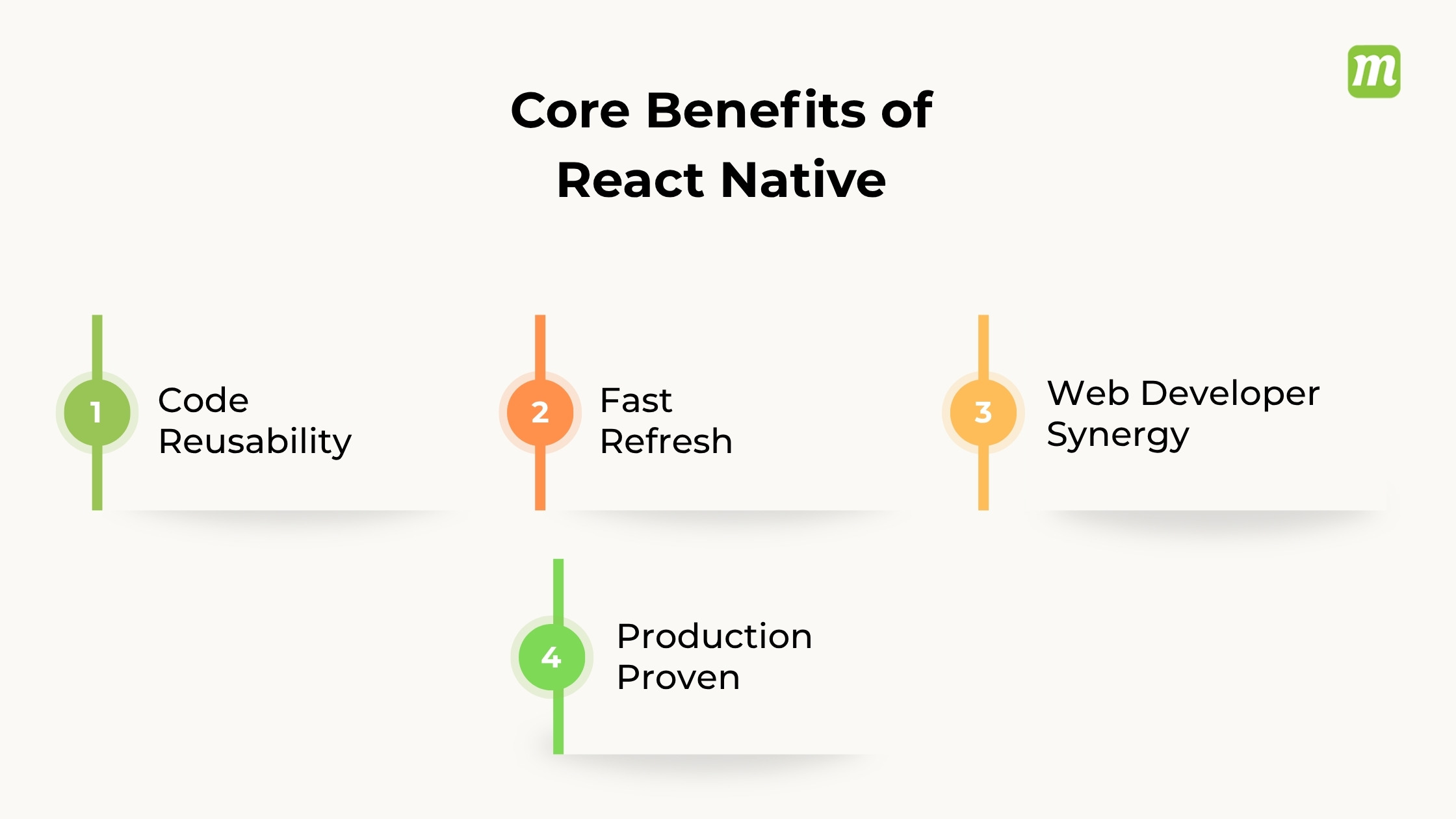
- Code Reusability: Share up to 80-90% of your codebase across different platforms, saving major react native development time and costs.
- Fast Refresh: Code changes save instantly and update live on your test device or simulator without needing a full recompilation.
- Web Developer Synergy: Web developers who already understand React can easily pivot to building mobile applications without mastering heavy native tooling.
- Production Proven: It powers massive global products like Instagram, Microsoft, Shopify, and Uber.
Framework Comparison
To understand where it fits, it helps to see how it differs from similar tools:
| Feature | React (Web) | React Native | Native (Swift / Kotlin) |
| Target Platform | Web browsers | iOS, Android, Web | Specific OS only |
| Language | JavaScript / TypeScript | JavaScript / TypeScript | Swift (iOS) / Kotlin (Android) |
| UI Rendering | Virtual DOM (HTML) | Native platform widgets | Native platform widgets |
| Code Base | Single web project | Single cross-platform project | Separate codebase for each OS |
When to Use (and When to Avoid)
React Native is excellent for content-driven apps, e-commerce, business tools, and rapid startup MVPs.
However, if your application is a graphics-heavy 3D game, requires complex custom animations, or relies heavily on bleeding-edge device hardware integrations (like advanced Bluetooth or intensive IoT syncing), writing native code in Swift or Kotlin is still the preferred route.
If you are looking to get started, the official React Native Documentation recommends starting with Expo, a suite of tools that simplifies setting up, building, and deploying your projects without touching native Android or iOS configuration files
What is Flutter?
Flutter is an open-source UI software development kit created by Google. It allows developers to build natively compiled applications for mobile (iOS, Android), web, and desktop (Windows, macOS, Linux) from a single codebase using the Dart programming language.
Key Features of Flutter

- Single Codebase: Write your program once and run it across multiple operating systems without rewriting code.
- Widget-Based UI: Uses customizable blocks called widgets to build visual elements that look and feel native.
- Hot Reload: Lets developers view code changes instantly in a running app without restarting it.
- High Performance: Compiles directly into native machine code via C/C++ runtimes without a slow JavaScript bridge.
How It Works
- Dart Language: Apps are written in Dart, an object-oriented programming language optimized for fast client-side UI development.
- Rendering Engine: Instead of relying on native platform UI components, Flutter uses its own high-performance graphics engine (Impeller/Skia) to draw pixels directly onto the screen.
React Native vs Flutter: Key Differences
Both frameworks have gone through major architectural overhauls recently; Flutter with its Impeller rendering engine now fully replacing the older Skia pipeline, and React Native with its New Architecture (Fabric, TurboModules, and JSI) now mandatory as of version 0.82, retiring the legacy bridge entirely. Here’s how they actually differ where it counts.
| Parameters | Flutter | React Native |
| Language | Dart, compiled ahead-of-time (AOT) straight to native ARM code — no runtime interpretation | JavaScript, running on the Hermes engine (default since 0.84) with bytecode pre-compilation |
| Rendering | Impeller draws every pixel directly via Metal (iOS) and Vulkan (Android) — fully self-contained | Fabric maps your JSX to real native UIKit and Jetpack Compose components |
| UI Look & Feel | Identical output across every platform — you own the whole visual layer | Matches native platform conventions automatically, but can drift when the OS updates |
| Native API Access | Platform channels (async, serialized) — Pigeon and Dart FFI available for lower-level work | JSI gives synchronous, direct C++ memory access — no serialization overhead |
| Ecosystem | 67,500+ packages on pub.dev | 2M+ npm packages, 6,600+ of them React Native-specific |
| App Size | Runs 8–12 MB heavier out of the box (bundled rendering engine) | Starts leaner; the gap narrows as dependencies pile up |
| OTA Updates | No built-in mechanism | EAS Update pushes JS hotfixes without an app store review — a real advantage for emergency fixes |
| Platform Reach | True single-codebase reach: mobile, web (Wasm), Windows, macOS, Linux, embedded | Mobile-first; web and desktop exist but rely on community tooling |
1. Performance: Both Are Fast Now; the Question is Where You Need the Edge
Flutter’s advantage comes from skipping JavaScript entirely: Dart compiles ahead of time, and Impeller draws straight to a GPU-optimized canvas. React Native closes most of that gap through Hermes (which pre-compiles JS to bytecode) and JSI (which lets JavaScript talk to native code without the old bridge’s serialization tax).
In practice: if your product lives or dies on buttery animations or graphics-heavy screens, Flutter is the safer default. If “fast enough” is genuinely fast enough, and it usually is, React Native’s flexibility becomes the more interesting trade-off.
2. UI Components: Pixel Control vs. Native Feel
Flutter renders every pixel itself, so a button looks and behaves identically whether you’re on iOS, Android, or the web. That’s a gift if you’re maintaining a strict design system, but it also means you’re building every interaction from scratch rather than inheriting it.
React Native leans the other way: it wraps real native components, so your date picker looks like the platform’s date picker without any extra work. Delivery is faster for standard UI patterns, but you inherit some risk, when Apple or Google tweaks a native control, your app can shift underneath you.
The short version: choose Flutter when cross-platform visual consistency matters more than native look-and-feel; choose React Native when platform conventions and faster delivery on standard screens matter more.
3. Ecosystem and Language: What You Already Know Matters
If your team already writes JavaScript or TypeScript, React Native is close to a straight line, most React teams can get a basic MVP running within days, and the npm ecosystem means payments, analytics, and auth integrations are already battle-tested.
Dart asks for more upfront investment, especially coming from a non-JS background, but that investment pays back as the codebase grows: sound null-safety and compile-time checks catch a category of bugs that JavaScript teams typically discover at runtime instead.
4. Tooling: A Cohesive SDK vs. a Familiar Toolbox
Flutter ships as one self-contained SDK; engine, CLI, and DevTools together, with hot reload that updates in milliseconds and rarely loses app state. It’s also picked up serious AI tooling lately, including Gemini Code Assist and an MCP server for giving AI tools codebase context.
React Native plugs into tools your team probably already uses VS Code, Chrome DevTools, Jest; and its standout feature is the Expo workflow: EAS Build compiles in the cloud (up to 30% faster on repeat builds), and EAS Update ships JS hotfixes without waiting on app store review. In a 2024 developer survey, 71% of React Native developers were already using EAS Build; that’s not a niche feature, it’s the default workflow.
5. Hiring: The Practical Question Most Teams Actually Care About
This is where React Native has a structural edge: JavaScript’s massive developer pool means you can scale a team fast, and those developers can move fluidly between your web and mobile codebases; which is exactly why Shopify picked React Native in the first place.
Flutter’s talent pool is smaller and more specialized, but it’s growing quickly; in the 2024 Stack Overflow Developer Survey, Flutter usage actually edged out React Native overall (9.4% vs. 8.4%), and pulled further ahead among developers who are still learning to code (11.1% vs. 6.7%); a decent signal for where the talent pipeline is heading.
6. Total Cost of Ownership: It’s Not Just the Build Sprint
Three things drive the real cost: how fast your team ramps up, how much maintenance the framework demands over time, and how much operational flexibility you get for shipping fixes.
- Ramp-up: A JavaScript team building in React Native skips the language-learning phase entirely. Flutter requires a real Dart investment first.
- Maintenance: React Native’s New Architecture removes the old bridge that used to break with OS updates; a structural fix, not a patch. Flutter’s self-contained renderer sidesteps OS-level UI changes entirely, but Flutter’s own internal upgrades occasionally create their own migration work.
- Emergency fixes: React Native’s EAS Update lets you push a JS hotfix without an app store review cycle; a genuine advantage when something breaks in production. Flutter has no first-party equivalent; the closest third-party option currently lacks self-hosting, a documented SLA, or compliance certifications.
7. Platform Reach: One Codebase Everywhere vs. Mobile Done Right
Flutter is the closest thing to genuine “write once, run anywhere”; a single Dart codebase reaching iOS, Android, web, Windows, macOS, Linux, and embedded devices, all as first-party targets.
React Native is a mobile specialist with an extremely proven track record; Meta, Shopify, Microsoft, and New York’s MTA all run it in production at scale. Web and desktop support exist, but they lean on community maintenance rather than first-party support.
8. Native API Integration: When You Need to Go Deep
For standard app features, either framework holds up fine. But if your roadmap depends on heavy native work; camera frame processing, Bluetooth BLE, AR sensor fusion; the integration model starts to matter a lot more than any benchmark number.
Flutter’s platform channels pass messages asynchronously between Dart and native code, with each call serialized; Pigeon and Dart FFI help reduce the boilerplate. React Native’s JSI, by contrast, allows synchronous, direct memory-level calls to native code with no serialization overhead at all, which is why it tends to be the stronger fit for throughput-heavy native integrations.
So, Which Should You Choose?
There’s no universal winner; only the better fit for your specific constraints:
- Pick Flutter if pixel-perfect design consistency across platforms matters, you’re targeting more than just mobile (web, desktop, embedded), or your app leans heavily on custom animation and graphics.
- Pick React Native if your team already knows JavaScript/TypeScript, you need to hire and scale fast, mobile is genuinely your primary target, or shipping hotfixes without app-store delays is a priority.
The frameworks have converged a lot in the last year; both are faster, both have shed their legacy baggage, and both are production-proven at serious scale. The deciding factor these days is rarely “which one is better”; it’s which one fits the team, timeline, and platform footprint you’re actually building for.
React Native vs Flutter: Pros and Cons
When choosing between React Native and Flutter, the primary difference lies in their core philosophy: React Native acts as a bridge that wraps around truly native UI components, while Flutter draws its entire UI from scratch onto a digital canvas.
| Feature | React Native | Flutter |
| Primary Language | JavaScript / TypeScript | Dart |
| UI Philosophy | Uses native OEM platform components | Custom pixel rendering on a canvas |
| Performance | High (improved with Bridgeless New Architecture) | Maximum (Ahead-of-Time compilation) |
| Ecosystem Size | Massive (access to npm ecosystem) | Rapidly growing but smaller (pub.dev) |
| Creator | Meta (Facebook) |
React Native: Pros and Cons
Pros
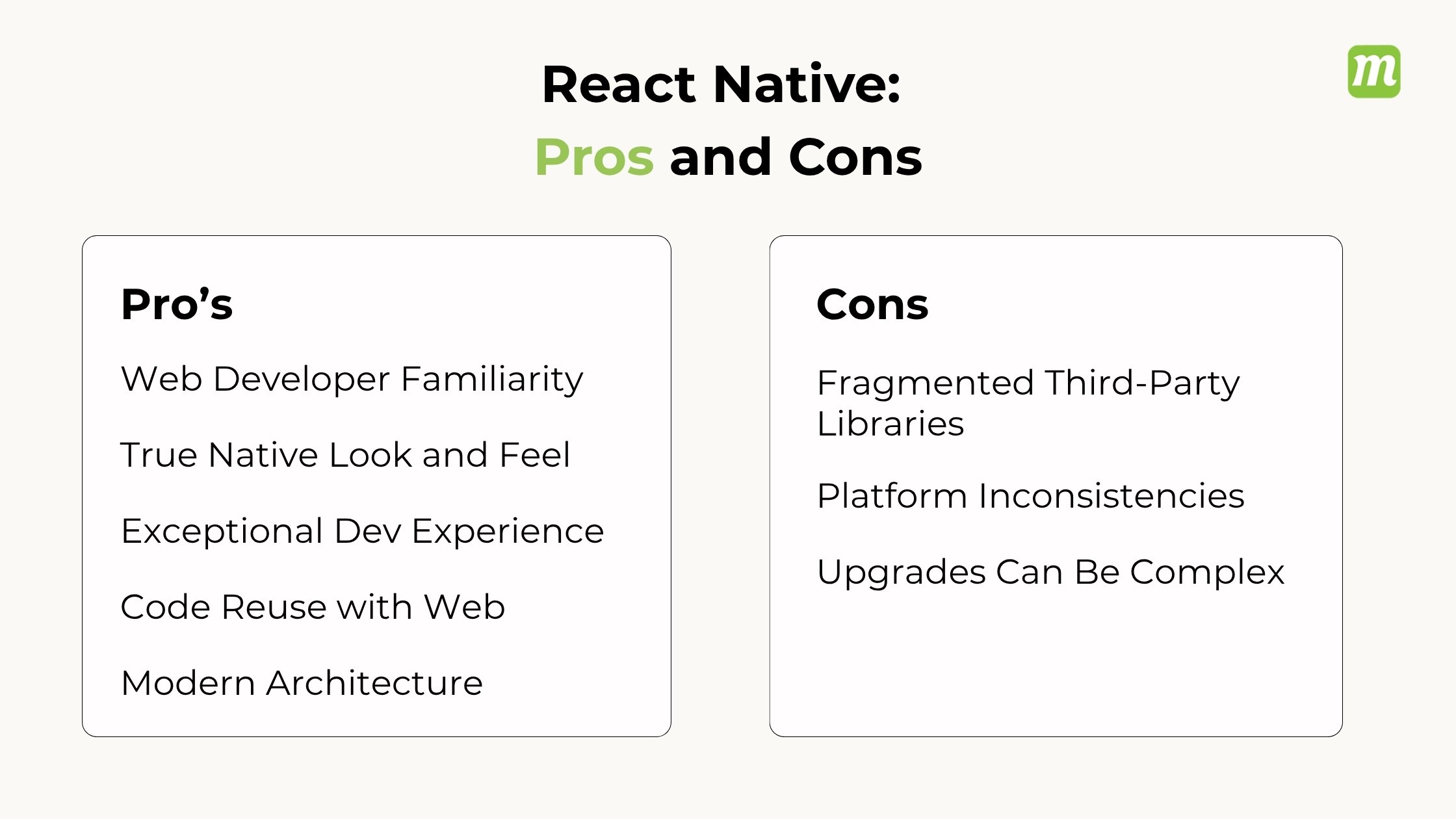
- Web Developer Familiarity: Uses JavaScript and TypeScript, allowing web developers to transition smoothly.
- True Native Look and Feel: Maps directly to native iOS and Android components.
- Exceptional Developer Experience: The Expo ecosystem allows effortless setup, easy navigation, and over-the-air updates.
- Code Reuse with Web: Shared business logic if you are already using React for your web application.
- Modern Architecture: Version 0.74 eliminated the slow “JavaScript bridge” in favor of the highly efficient JavaScript Interface (JSI).
Cons
- Fragmented Third-Party Libraries: High reliance on external packages that can become abandoned or outdated.
- Platform Inconsistencies: Because it maps to native components, your app may randomly look or behave differently on iOS vs. Android.
- Upgrades Can Be Complex: Migrating your project to newer React Native versions can sometimes cause build failures.
Flutter: Pros and Cons
Pros
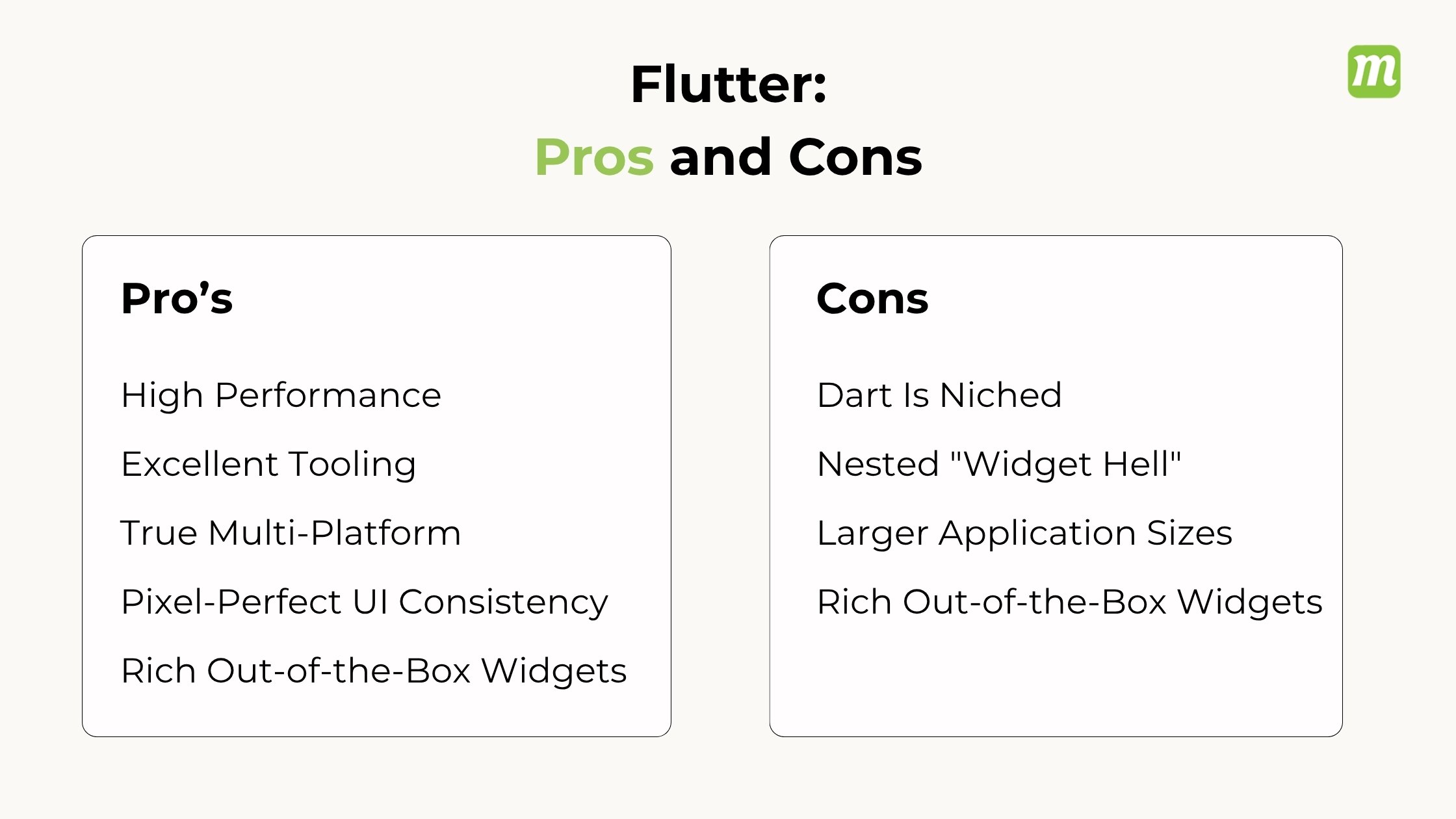
- Pixel-Perfect UI Consistency: Renders identically on iOS, Android, and desktop because it controls every single pixel.
- High Performance: Compiles straight to native machine code with the advanced Impeller rendering engine, ensuring smooth 60+ FPS animations.
- Rich Out-of-the-Box Widgets: Includes highly customizable Material Design and Cupertino UI packages directly from the start.
- Excellent Tooling: Offers great documentation, a built-in testing framework, and powerful Dart DevTools.
- True Multi-Platform: Superior performance and stability when porting apps to Windows, macOS, Linux, and embedded systems.
Cons
- Dart Is Niched: Dart is a highly robust language, but it is rarely used outside of the Flutter ecosystem.
- Larger Application Sizes: Flutter apps carry their own rendering engine, making the initial download size noticeably larger.
- Nested “Widget Hell”: The UI syntax involves heavily nested functions and brackets, which can become cluttered and hard to read.
- Poorer Web Performance: Web apps rendered on a canvas struggle with standard SEO practices and text manipulation.
Which Should You Choose?
Choose React Native if your team already knows React/JavaScript, if you want to share code with a web app, or if you want a strictly native look.
Choose Flutter if you need highly custom, branding-heavy UIs, heavy graphical animations, or plan to expand heavily onto desktop apps.
React Native vs Flutter FAQs
1. Is React Native better than Flutter?
Neither framework is universally “better” than the other; the right choice depends entirely on your team’s existing skill set and your application’s design goals.
React Native and Flutter are both elite, production-ready, cross-platform frameworks capable of delivering high-performance applications. Each solves the cross-platform problem using fundamentally different technical strategies.
2. Which is faster, React Native or Flutter?
Flutter is generally faster than React Native in runtime performance, UI rendering speeds, and heavy computational tasks. While Flutter compiles directly to native machine code and draws its own canvas via the Impeller engine, React Native relies on executing JavaScript, though its newer Bridgeless Architecture (JSI) has drastically closed the performance gap.
3. Which framework is easier to learn?
React Native is significantly easier to learn if you already know JavaScript and React, while Flutter is generally easier for absolute beginners who have no prior programming experience.
The learning curve depends almost entirely on your background and familiarity with web technologies.
4. Which is better for cross-platform app development?
Neither framework is universally “better,” as the right choice depends entirely on your team’s existing skill set and your app’s specific user interface (UI) requirements.
React Native (backed by Meta) is ideal if your team has strong web development experience and you want a truly native platform feel. Flutter (backed by Google) excels if you need a pixel-perfect, custom brand design that looks identical across every single device.
Conclusion: Choosing Between React Native and Flutter
So, React Native or Flutter: which one should you choose? The honest answer is: it depends.
If your team already works with JavaScript, TypeScript, or React, React Native can be a natural choice. It can help you get started faster, gives you access to a large developer ecosystem, and works well when you want your app to follow the look and behavior of the underlying platform.
Flutter, on the other hand, is worth considering if custom UI, consistent design, smooth animations, and broader multi-platform support are high on your priority list. Its widget-based approach gives you a lot of control over the final experience.
But don’t make the decision based on performance benchmarks or popularity alone. Think about your team’s skills, app requirements, target platforms, design expectations, native integrations, maintenance needs, and long-term roadmap.
At the end of the day, the best framework isn’t necessarily the one with the most features. It’s the one that fits your product, your team, and your business goals, and helps you build an app that can perform well today while remaining easier to evolve tomorrow.